Time for another exciting chapter in our series, Analyze the Frame. When we last left our hero, we were discussing how lighting and blocking can affect how your audience interprets the shot. Today I want to discuss something a bit different but something that we all have to deal with. That is reviewing your video footage on your computer screen.
It seems simple enough, right? You shot some footage on your camera and you open it up in your favorite video player to make sure everything looks good. The problem is, what you see in that video player may not be the same thing you shot.
 This is because of Gamma. No, not gamma rays that turned Bruce Banner into the Hulk. Gamma simply put is:
…the name of a nonlinear operation used to code and decode luminance values in video or still image systems…
If you’re up for some not-so-light reading, Wikipedia goes into the technical stuff a bit more. Really all you need to know is that gamma affects how the luminance of an image is perceived. You may have noticed it as a setting on your TV or control in your NLE. If you play around with it, your image can either get dark and contrasty or bright and washed out.
So now that we know what gamma is, there is one last thing to realize. Though we can change the settings in our NLE to adjust the gamma of the image, the decode of gamma is left to your video playback device. Be it a computer, phone, iPad, TV, etc. they all decode video differently. To make things even more complicated, not all video players decode gamma the same either. This is evident if you have ever opened up a video file in Windows Media Player and then in Quicktime. They look drastically different.
To illustrate this, below I have screen shots of the same video file straight from my Canon 5D MkII. The video was shot at f/2.8 using Marvels Cine picture profile which is a relatively flat picture style. The first one is playing in Windows Media Player and the second one is playing in Quicktime Player.
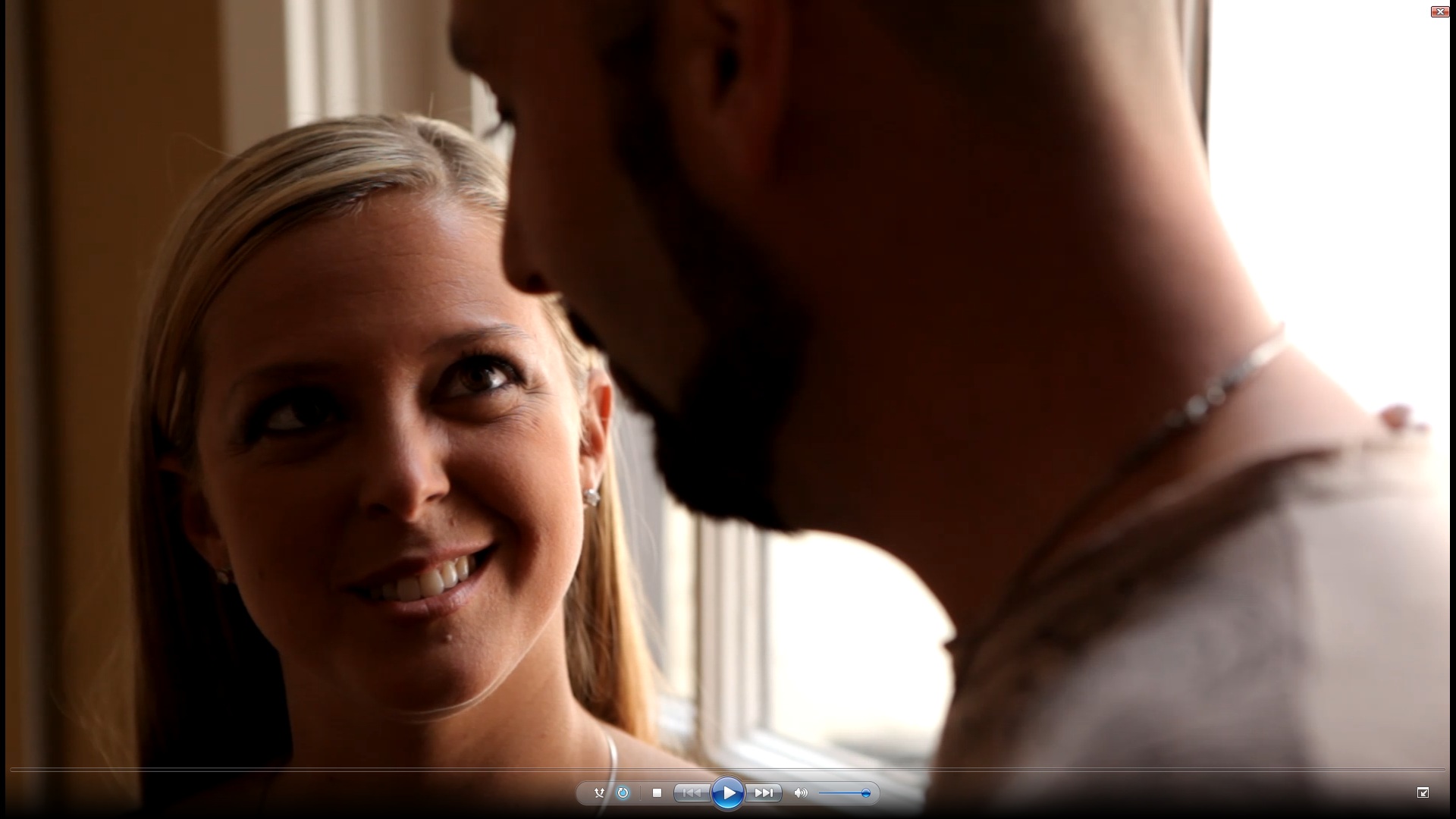
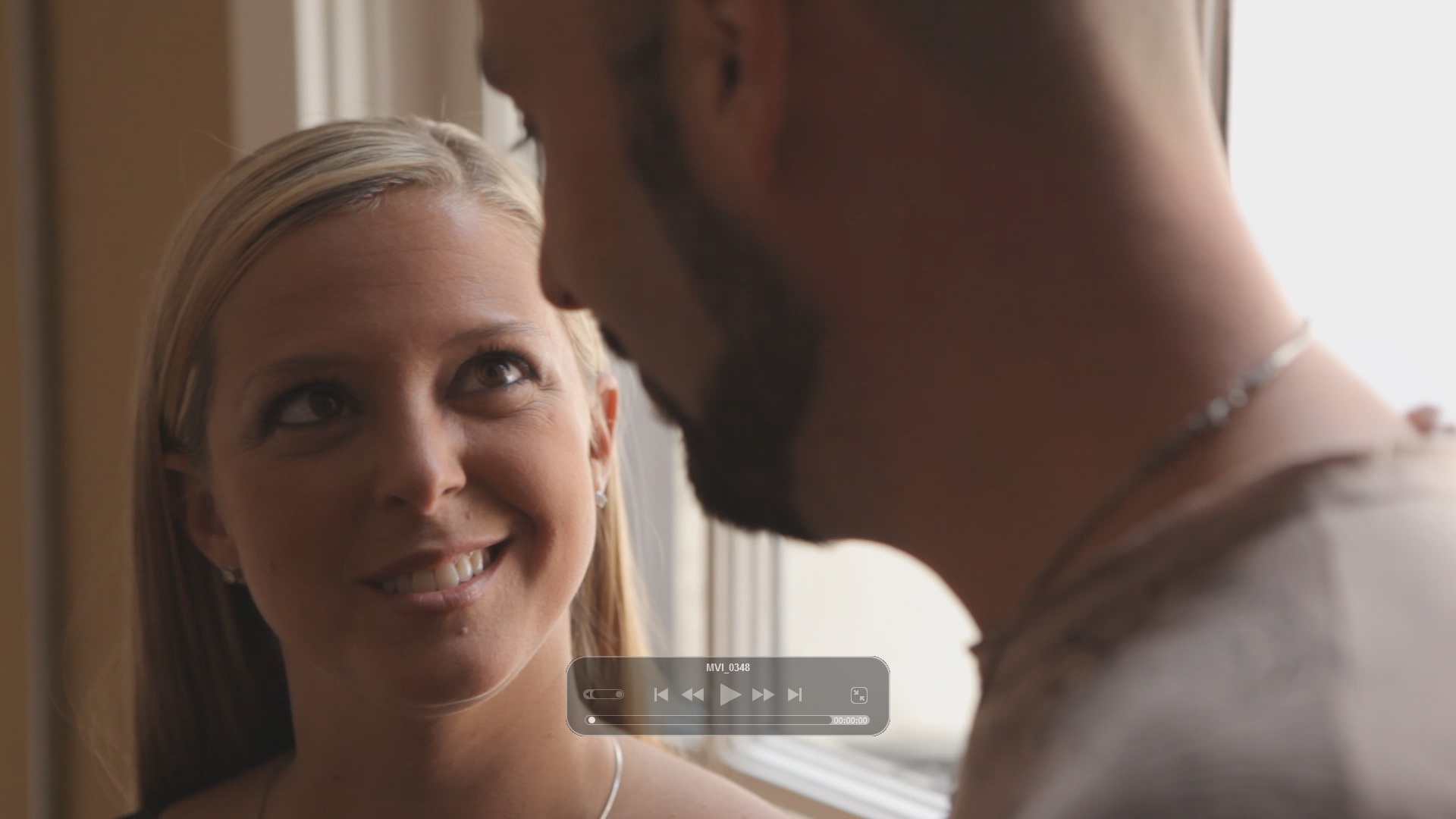
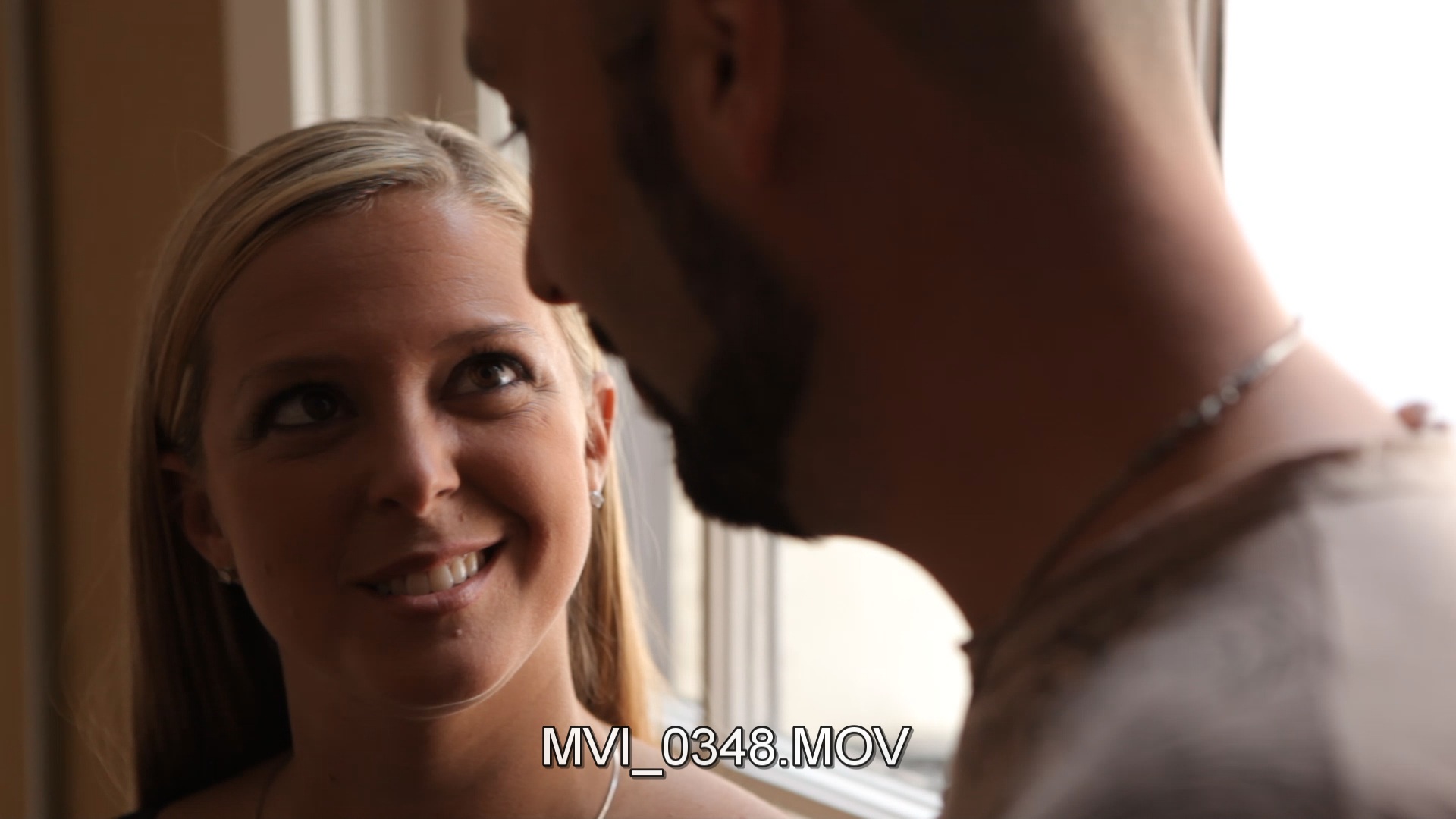 As you can see, the video looks very different because each player decodes the gamma differently. To add to things, here’s the same video in VLC. As you can see, it also decodes the gamma differently. Feel free to click on the images to see them at full size.
The big question is, which one is right?
Well the only way to determine this is to compare them to the source at the source. If we decide that the LCD on the back of the Canon HDSLR is the most accurate to the original footage “look” then we need to compare the players to this.
To test this out, I pulled up all three players on my computer and put them next to the camera. Though originally shot on the 5D, I’m playing the footage back on the 60D to take advantage of the articulating screen since the angle the screen is at can affect the constrast of the footage as well. I’ll also note that my monitor has been calibrated using a Spyder Express so I trust that the colors are accurate. I opened Quicktime in the bottom left, Windows Media Player in the top middle and VLC in the bottom right.
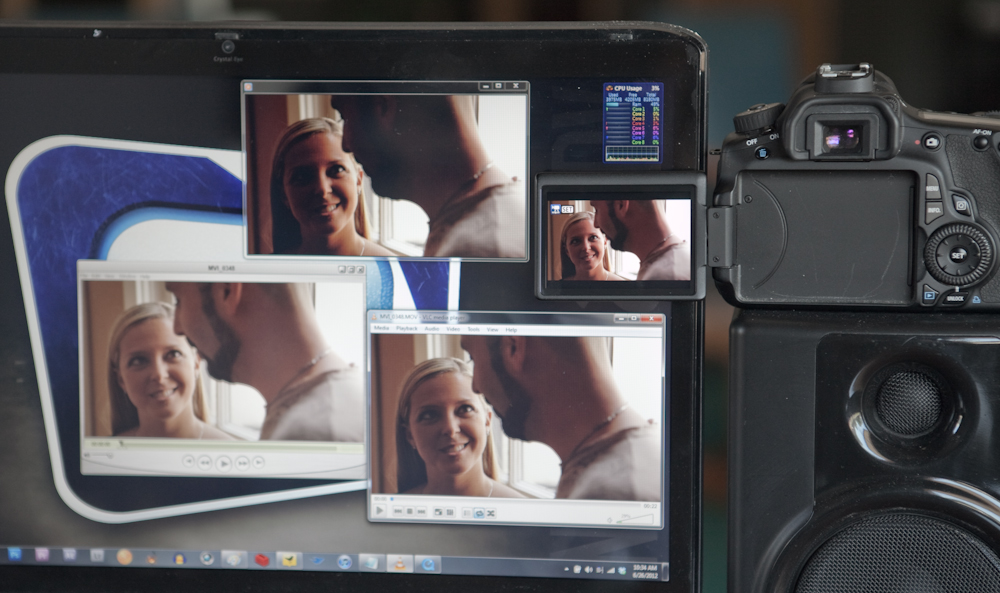
Based upon my personal observation, VLC was the most accurate, though not 100%. I would ask you to do this test on your own and not judge the accuracy solely based upon these images. Each computer screen and even version of the software is likely to change the gamma decoding.
So now that we know all this, what can we do with it. Well first off we know to test our video players before believing what we see on our computer. But perhaps even more importantly, we know that when we send a file to a client to review, they may not be seeing what we want them to see. If you’re used to playing something back in Quicktime Player and they play it back in Windows Media Player, you may get some complaints that the video is too dark. You may want to make sure they are watching the video in the best player for the best viewing experience.